
Remove Background
Remove backgrounds from multiple images at once with AI.
Workspace
 Drop images herePNG, JPG, WebP — up to 50 images at once
Remove backgrounds with AI, online
The tool finds the main subject in a photo — a person, a product, a pet, a logo — and removes everything else. You get a PNG with a transparent background, ready for a product listing, a slide, a banner or a collage.
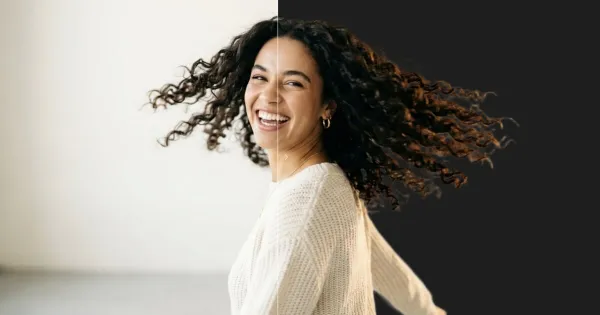
No manual masking: the AI cuts the background itself and handles hair, fur and tricky edges. Add a whole batch — up to 50 images per queue — and compare each result with the original on a before/after slider. Download results one by one or all at once.
Handy for marketplace sellers, designers and social media teams who need clean cut-outs without Photoshop. Everything runs in the browser.
Images you already made on The Factory can be picked from your history without re-uploading, and finished cut-outs stay in the tool's history so you can come back to them later.
How to remove a background in 3 steps
Upload images
Drop one or more PNG, JPEG or WebP photos up to 10 MB each.
Start removal
Click start and each image is processed in seconds.
Check and download
Compare with the original on the slider and download transparent PNGs one by one or all at once.
Questions and answers
What format is the result?
A PNG with a transparent background, so the subject sits on any colour or layout without a white edge.
Can I remove backgrounds from several photos at once?
Yes, a queue takes up to 50 images. They are processed in parallel and you can download every result in one click.
Does it handle hair and complex edges?
The background-removal models are trained on hair, fur and semi-transparent edges, and you can check every result on the before/after slider.
Is background removal free?
You can open the tool and explore its settings without an account. Processing spends credits: new accounts get welcome credits after signing up and confirming their email, and after that you can buy a credit pack or subscribe. The exact cost is shown before you start.
Which files can I upload?
PNG, JPEG and WebP images up to 10 MB, or any image from your generation history.