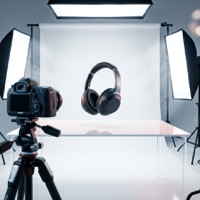
Product Photo Studio
Turn any product photo into production-quality professional images with AI.
Workspace
Upload up to 50 product photos. Each will be processed through the AI pipeline.
Upload up to 5 reference images to guide the style of generated photos.
Add your logo and text to ensure consistent branding across all generated product images.
Variables: {}, {}, {}, {}, {}, {}
AI product photography
Product Photo Studio turns everyday shots into studio images for listings, websites and ads. Upload up to 20 product photos and pick a style: Hero, Flat Lay, Lifestyle or Packshot. Set the background from a palette or a hex code, or describe a scene.
Claude analyses the product first and the original background can be removed automatically. Images are drawn by GPT Image 2.5, Nano Banana 2 or Nano Banana Pro at 1K, 2K or 4K. The Amazon format switch prepares 2000×2000 white-background versions. Add your logo and brand name if you like.
How to make product photos in 3 steps
Upload products
Add up to 20 product photos, plus optional style references and a logo.
Pick style and background
Hero, Flat Lay, Lifestyle or Packshot, a colour or scene, aspect ratio and resolution.
Generate and download
Get studio shots and download them one by one or as a ZIP.
Questions and answers
Are the photos ready for Amazon?
Turn on Amazon format and the studio prepares 2000×2000 white-background versions.
How many products per run?
Up to 20 product photos.
How much does a product photo cost?
You can open the tool and explore its settings without an account. Processing spends credits: new accounts get welcome credits after signing up and confirming their email, and after that you can buy a credit pack or subscribe. The exact cost is shown before you start.