Copy Motion
Pick a dance, upload your character, and let AI bring them to life.
Workspace
Motion Video
Upload a video with the motion you want to transfer to your character.
 Drop a video hereMP4, MOV, or WebM — 3 to 30 seconds
Your Character
Upload a full-body image of the character you want to animate.
Copy motion from any video with Kling Motion Control
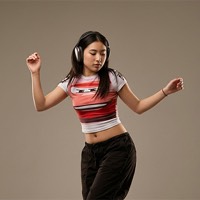
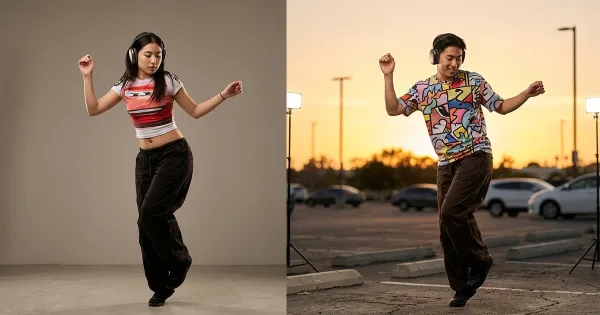
Copy Motion takes the movement from one video and transfers it to your character. You need two things: a clip with the motion — a dance, a gesture, a walk — and an image of your character, ideally full-body. The model repeats the poses and timing of the clip while keeping the character's look from the image.
Upload the video from your device (MP4, MOV or WebM) or paste a TikTok, Instagram or YouTube Shorts link and it is downloaded for you. The source clip must be 3 to 30 seconds long. Character orientation can follow the video (up to 30 seconds) or the image (up to 10 seconds).
It runs on Kling Motion Control — Kling 3.0 by default, with Kling 2.6 also available — and returns an MP4 at 720p or 1080p that is saved to your library. An optional text prompt refines the scene.
Tip: pick a reference where the person is fully in frame and not hidden behind other objects — the model then repeats the moves more accurately. It is a quick way to make dance clips with mascots or animate characters for social media.
How to copy motion from a video in 3 steps
Add the motion video
Upload a 3–30 second clip or paste a TikTok, Instagram or YouTube Shorts link.
Upload your character
Add a full-body image of the character as PNG, JPEG or WebP.
Pick quality and generate
Choose the Kling model and 720p or 1080p, then click Generate. The video appears in your results and library.
Questions and answers
What is Kling Motion Control?
A Kling mode that transfers the motion of a reference video onto the character in an image. Instead of describing movement in text, you copy it from a real clip.
Which videos work as a reference?
Clips from 3 to 30 seconds: your own MP4, MOV or WebM, or a TikTok, Instagram or YouTube Shorts link. Videos where the person is fully in frame work best.
What output quality do I get?
An MP4 at 720p or 1080p (selectable for Kling 3.0). The result is as long as the reference clip.
Can I copy motion for free?
You can open the tool and explore its settings without an account. Processing spends credits: new accounts get welcome credits after signing up and confirming their email, and after that you can buy a credit pack or subscribe. The exact cost is shown before you start.
Can I use a cartoon or 3D character?
Yes — the image can be a photo, an illustration, a 3D render or a mascot, as long as the character is clearly visible.