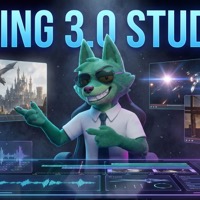
Kling 3.0 Studio
Create cinematic AI videos with elements, multi-shot prompts, and voice control.
Workspace
A golden retriever running joyfully through a sunlit meadow, cinematic slow motion, shallow depth of field, warm afternoon light
Elements (0/5)
Add elements to lock character/object identity across your video. Each element can be an image set or a video clip.
Multi-Shot Mode
Generate video in Kling 3.0 Studio
Kling 3.0 Studio is an advanced editor for the Kling 3.0 video model. Describe the scene in text or set start and end frames with images, choose Standard or Pro, and pick a duration from 3 to 15 seconds.
For longer stories, multi-shot mode splits the clip into up to 5 shots of 1–12 seconds (15 seconds in total). Characters and objects can be defined as up to 5 reusable elements and referenced in the prompt. Audio is one toggle away, and the MP4 lands in your library.
How to make a Kling 3.0 video in 3 steps
Describe the scene
Write a prompt or split the clip into shots; optionally add start and end frames.
Set it up
Choose Standard or Pro, 3–15 s, 16:9, 9:16 or 1:1, and switch audio on or off.
Generate
Click Generate and the MP4 appears in your results and library.
Questions and answers
How long can Kling 3.0 videos be?
3 to 15 seconds. Multi-shot clips take up to 5 shots of 1–12 seconds, 15 seconds in total.
Does Kling 3.0 generate audio?
Yes — audio is a toggle in the studio settings.
How much does Kling 3.0 cost?
You can open the tool and explore its settings without an account. Processing spends credits: new accounts get welcome credits after signing up and confirming their email, and after that you can buy a credit pack or subscribe. The exact cost is shown before you start.